spirograph?
- Started
- Last post
- 28 Responses
- marcostill
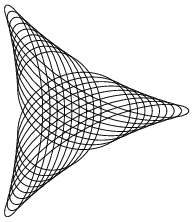
are there any apps or plugins that can produce spirograph type images or am i stuck spending hours doing it by hand?
- georgesIII0
- That's Spirograph 'effect'. True Spirograph lines are continuous, not dupes of shapes.detritus
- maquito0
www.scriptographer.org may have something
- marcostill0
it seems all of these examples just use command+d to duplicate a shape which isn't a true spirograph as deritus mentioned. really hoping to find something more to a true spirograph.
- detritus0
Ooh, not an answer (I'm here because I'm interested in one myself :) but this is handy, from a comment in one of the links posted..
A decade on Illy, and I never knew!
"
fidel | Sat, 2005-07-02 18:37Well,
there is even a more interesting way of spirographing in Illustrator.
You can use every geometrical (rectangle, ellipse,...) with this feature.
Be cautious because this feature takes counts of: the speed by wich you move the mouse, and you can rotate.
Choose your geometrical formtool, lets say a star.
Now before starting drawing a star, use the key just right of the shift-key. It's the key with the greater (>) and smaller (<) icons on a mac keyboard.
Now start drawing with the specific key pushed down.
This is real spirographing.
Ok you can't be sure of the effect but it is fun to see how Illlustrator does this. haven't checked of this works in other Adobe progs.
Try it and have some fun
"- I'm going to give this a try.marcostill
- were you able to get this to work? nothing is happening for me.marcostill
- I was about to post this. It's quite a nice, if somewhat unpredicatable effect.JerseyRaindog
- i still can't get it to work, not sure what i'm doing wrong and my <> keys are not right of shift key on a mac.marcostill
- On my keyboard it's the key second to the LEFT of the right-side shift. '/" (although I might have swapped this key..detritus
- ..just to confuse things—I'm a PC with an Apple keyboard).detritus
- PC try holding tilde key (~) while dragging a shape, I think this is similarmonNom
- itstimefortea0
this might work...
http://www.scriptographer.org/sc…
- Miesfan0
An this, but nothing to do with it, you can't save it...is funny only...
http://www.stumbleupon.com/su/28…- WHY DOES JAVA TAKE SO DAMN LONG TO LOAD?utopian
- thats the question that spawed a legion of substitute industries, right there...mikotondria3
- ********0
Can't point you to anything exact, but Scriptographer is your best bet. You'll want to create a function that generates a path following trig functions with a rotation while it does it. Theres lots of trig javascript stuff that you can do some leg work with to adapt to scriptographer.
- ********0
I'm a fucking genius... Get a Wacom and a Spirograph....
- MSTRPLN0
Illustrator is all you need.
http://freetransform.net/?p=70- <********
- NO. Shapes are shapes. Spr are continous lines, starting from one point and with one end.Miesfan
- that's pretty cool but again it's not a true spirograph.marcostill
- <
- ********0
illustrator actions
- fiver0
any of the drawing tools while holding ~ (tilde)
hours of fun
- this does nothing for me.Amicus
- circle/rectangle/lin... tool. click, hold tilde, and move around.fiver
- http://tinypic.com/r…fiver
- utopian0
I wish someone would create an effective spirograph Illustrator plug-in already...
- Miesfan0
And this, too
http://jwsprog.appspot.com/
- fiver0
http://tinypic.com/r/2vtciv5/7
with ellipse tool and holding tilde.
- Hench0
i'm getting a fuckin spirograph on ebay right now so I can use it on a wacom haha, genius!!!
- hehe.. I was just considering laser cutting teflon inner components and making my own Wacom Spirograph :)detritus
- I don't have any teflon sheets in stock though :(
(I'm not even 100% sure it cust on the laser.. hmm)detritus - Should be able to cut through teflon. If you ever make it you have to send me pics of that awesomeness!Hench
- hench, i think your on to something there.sea_sea
- acescence0
I still have my spirograph from the 80s.