Wire Management?
- Started
- Last post
- 14 Responses
- mg33
I think we've had this conversation before, but do any of you have some clever ways of organizing wires for your computers?
I'm moving to a new apartment on Friday and want to get my computer setup as neat as I can. Typical wires for usb cables, huge power strip, printer, scanner, audio hardware, speakers, monitor cables, power cables, etc. etc.
Any cool ways some of you keep this stuff out of sight?
- heavyt0
velcro straps.
they are pricey, but i found you can make your own by just buying a roll of velcro and then cutting them into small pieces and sticking the hook side and loop side together back-to-back.- nice idea actually, totally get what you're saying.mg33
- Or steal the shoes off hipsters and cut off the velcro straps.harlequino
- i use that for my headphone cablescarabin
- tgqt0
Cord Management - perhaps one of my biggest pet peeves. I excell at this...making all cordage [but what is needed to comfortably make adjustments] invisable.
- scarabin0
i've seen people cut black tubing down one side and insert groups of cables into that
- tesmith0
I saw a studio that used eavestroughing which was cool. Ikea also offers some solutions.
- fyoucher10
heh, doing the same thing now hooking up dual monitor PC and Mac lap/desktops on back to back desks.
Get cable ties, wire loom, and cable anchors. You'll need these regardless of whatever solution you use.
Cable ties: secure bunches of cables together.
Wire loom: Holds the bunch of cables so it looks like one big cable
Cable anchors: Very nifty way of securing devices to places, like the bottom of your desk. You can attach cable ties to them, to say...hold your router under your desk. Or you can use them to secure the cable bunches to the bottom of your desk.Belkin has a nifty surge protector which hides the plugs >
http://catalog.belkin.com/IWCatS…

If possible, put cables under carpet right next to baseboard. You'll need to lift the carpet up, put the cable in, and then tuck the carpet back in. To get the carpet firmly back in place, just step on the carpet and the little spikes until you hear a crunch sound.
Ikea has a few great cable management things, if an Ikea is accesible.


If you're creative and on a budget, this site has some great solutions too>
- Thanks. The ikea under desk thing looks cool. I'll be going there this weekend.mg33
- They have another one which is even more convenient but I can't find the image...fyoucher1
- It's like a burlap shelf that screws onto the bottom of your desk edge. You can literally just put everything in it, surge protectors and all.fyoucher1
- ...protectors, cables, everything. It's a wide but narrow casing. Only $10 each too.fyoucher1
- That Belken surge protector looks promising as well.
mg33
- Gucci0
Now THAT'S a nightmare...
- mg330
The worst of it is - and I'm sure I'm not alone here - the amount of stuff hooked up to my MBP.
USB Hub (mouse, ipod cable, camera cable, usb to monitor, printer, midi keyboard cable, scanner connected to this)
Power Cable for MBP
Firewire 800 to external drive
USB to external backup drive
Firewire 400 to Apogee Duet (connected to speakers)
Ethernet cable
Cable to monitorThen there are speaker cables, all the power cables, etc.
The problem is getting all this stuff into a grouping to really bundle them up.
- Jnr_Madison0
I have these...
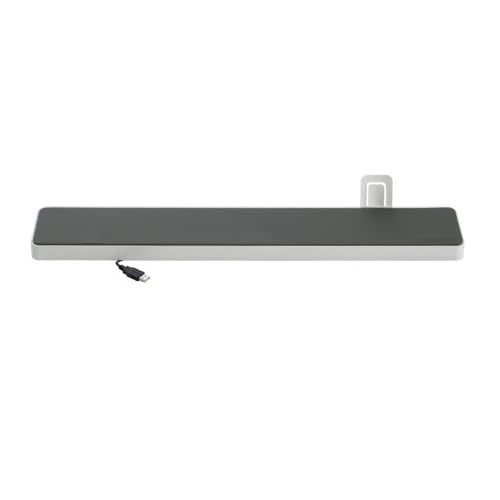
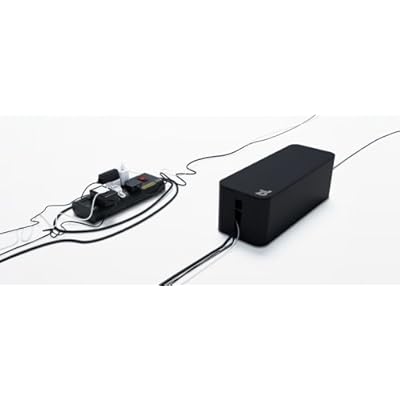
- Whats that first one?fyoucher1
- Links to those? I like the cover boxes, but my power strip is huge.mg33
- bluelounge space station for my laptop.Jnr_Madison
- http://www.blueloung…Jnr_Madison
- http://www.amazon.co…Jnr_Madison
- ********0
i need a fix too,
here's my mess
- plash0

i make a loop/pinhole so i can adjust it if need be
- johndiggity0
ikea sells a kit with plastic tubing and zip ties. i recommend some colored tape or label around the wires also so you know what it what.
- mg330
I've tired that tubing setup before, and the thing that sucks about it is if you need to get a wire out, it can be a real pain. I do use tubing, though, to run surround sound wires around my baseboards - a very thin kind I got at home depot.
