screen rotation
- Started
- Last post
- 23 Responses
- zoiks
Do any of you rotate your displays to work in portrait mode?
I have a Dell 2001fp and am having trouble figuring out how to take advantage of this feature. I can physically rotate the screen but the image doesn't follow suit. Do I need special view rotation software?
- ********0
are you on a mac?
If you are , you can rotate your screen in the Display settings in your Sys prefs.
- zoiks0
pc
- ********0
I think you need the software. It should have came with the monitor, if not you can probably download it from Dells site.
- mrdobolina0
ctrl alt and arrow keys?
- rafalski0
right-click yer desktop > Properties > Settings > Advanced
then it all depends on your video card, details vary
- Nairn0
I *think* it's done via your gfx card driver settings - ie. not from the monitor's buttons (I've just had a look on my 2005fpw and I can't see anything useful, so I had to do it via ATI catalyst).
As morilla says, best thing to do would be dig out your manual or go to the Dell site itself.
- madirish0
man do window-based pc's make this hard.
- mrdobolina0
did you try ctrl alt arrow key? It doesnt work on this machine but worked on my old XP pro machine.
- Nairn0
man do window-based pc's make this hard.
madirish
(Jun 21 07, 09:18)Not really. I asked myself - "How do I change x on my graphics?". I clicked on my graphic driver and at the bottom, there's a wee menu for 'rotate screen'. Hey Presto.
- material-10
'Hey Presto.'
Is this like the Italian kool aid?
- madirish0
what is a graphic driver?
- zoiks0
I just tried something call iRotate... a little screen rotation app that seems to work. I tried all your other suggestions too but no dice yet...
thanks
- Nairn0
heh... you don't have that turn of phrase on that side of the pond?
That must've sounded a bit odd.
- Nairn0
y'see - i don't mind that difference between macs and pcs - i actually like to know how the damn things work.
Macs must use drivers too, even if they are hidden away from view.
How do you fix things when they break? oh, of course - 'macs never break'.
(did we just start a mac vs pc debate, madirish? for shame! :)
- 23kon0
one of the guys at work has a dell and his monitor rotates to portrait too.
we were playing with the feature when he first got it.
im sure it was right click on the desktop and change monitor properties. but someone has already suggested that so feck knows :S
- madirish0
haha- no, not at all. i just was serious that relatively speaking, adjusting something like this that is clearly a preference of the display options, is really cumbersome to adjust and the means to do so has not evolved with the users' monitor options it seems.
i too like to know how to fix things when they break, and to tune my machine. but i will be damned if i should have to take on the challenge of finding a piece of C+ code (driver) and then mod it's output settings, when the entire thing is a matter of how the OS is configured.
catch my drift? :)
- ********0
I have a 23" landscape for work and a 20" portrait for surfing and palettes.
- mrdobolina0
what is a graphic driver?
madirish
(Jun 21 07, 09:32)It is software that allows pc's to run the latest and greatest graphics cards when they come out, instead of being at the mercy of a turtlenecked millionaire's whim of what graphics card you should be using ;)
- enjine0
yeah:
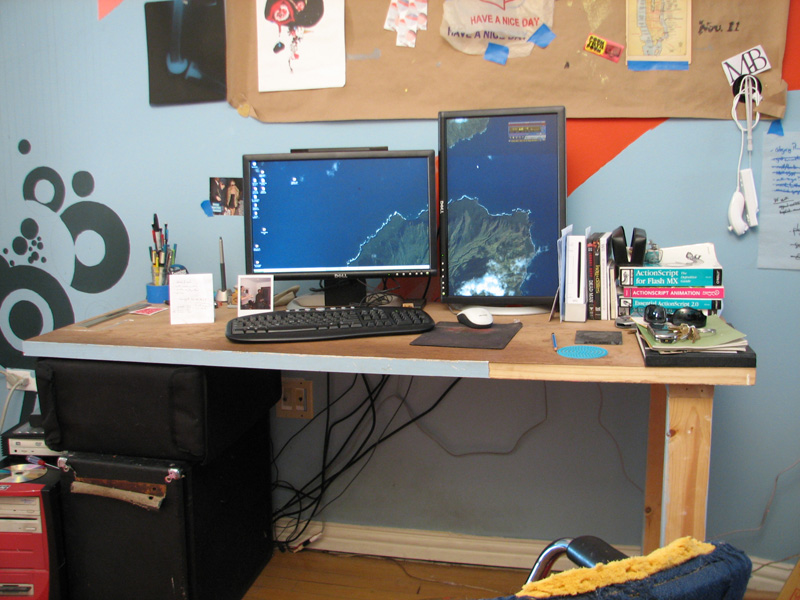
use your graphics card driver.
i have a nvidia chipset, so i just downloaded the software from their website
- Nairn0
heh, understood.
fyi - when i say 'graphics driver' i mean the bit of ATI software in my start menu - not the nugget of arcane peculiarity dug from the bowels of somewhere technical in the Windows folder.