illy help
- Started
- Last post
- 12 Responses
- rodzilla
Any have a quick tip on how to create this radial gradient on the volume button via Illustrator?

- ESKEMA0
here's a psd:
http://365psd.com/day/2-284/in illy, that would require a lot of effort to get those gradients
- johnny_wobble0
gradient mesh
http://vector.tutsplus.com/tutor…
- BaskerviIle0
make a linear gradient (ie in a line from left to right) with the grey highlights/lowlights.
Then go to Object>Flatten Transparency
Then Expand the obectDrag this object into your brushes palette and choose 'Art Brush'
Then use this brush to stroke around a circle, and make the stroke thick enough to fill in the circle, bingo!
- rodzilla0
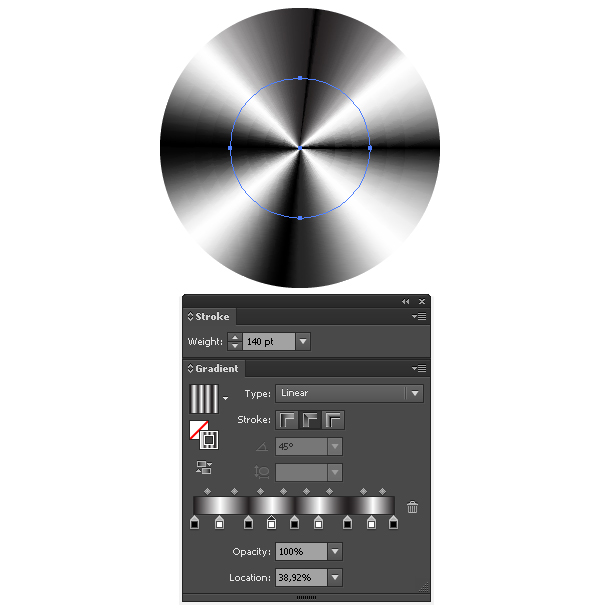
I just found this....While using those two types of gradients, we can still control the sliders, but we cannot change the gradient’s angle and its location with the Gradient Tool (G). The Gradient along stroke is perfect for creation of the patches of light and the conic gradients.
- ok_not_ok0
this is kinda close...
- ESKEMA0
You can also get creative with the width tool and stroke gradients.

this is with 4 strokes on a clipping circle. you can tweak the angles adding more strokes..
- ESKEMA0
more detail:

- albums0
Baskerville for the win. It's all about Art Brushes.
- :)BaskerviIle
- rodzilla's solution is a bit more elegant though, no?monospaced
- yes but only CS6, for earlier versions, the Art Brush is the way to go...ESKEMA
- only if you have CS6!BaskerviIle
- ah, I seemonospaced
- Josev0
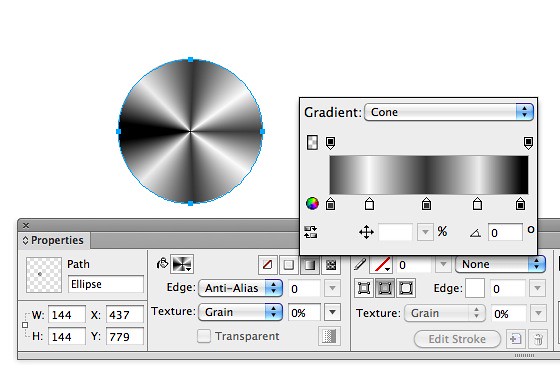
Fireworks does this easily using the cone gradient