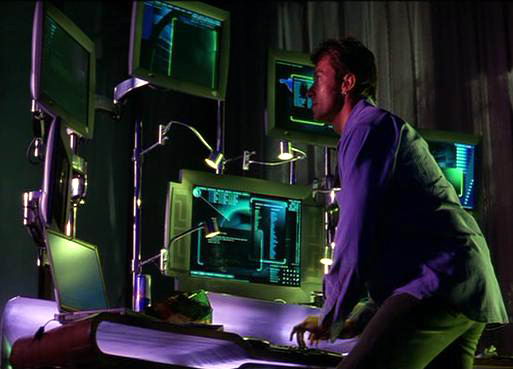
Monitor Wall
- Started
- Last post
- 10 Responses
- akiersky
Performance loss with Eyefinity and 8 monitors.
I'm trying to build an 8 screen monitor wall. I have 2 RadeonHD 5870's
with Eyefinity 6. 6 screens are in card 1 and two are in card 2. All
are using active DVI to displayport adapters.The setup works alright to the eye for the most part, but when I run a
simple framerate test (a bunch of dots generated with Processing) I
find that my framerate gets cut in half if the app window is spanning
both cards' screens.Is this some inherent flaw with multi-GPU setups? Could my power
supply be over taxed? (its 950W) I'm totally at a loss here.
- monospaced0
Ask this guy. http://www.qbn.com/topics/648494…
- "You have the bridge, #1"Andrew_D
- lol, only took 2 replies! :DHombre_Lobo
- arne0
i have no answer but a similar problem. are you using max?
- it's a custom built Processing (processing.org) appakiersky
- detritus0
Let me just preface this with - "I have no idea what I'm talking about"
That said.. does Processing rely on anything like OpenGL, and might that have in place some kind of restriction?
Whatever, I'd wager that the problem's on the software end.
- yes, we are using openGL to handle the rendering to take the drawing pressure off the cpuakiersky
- akiersky0
The processing test application we have built is a simple particle generator, which places about 300,000 particles across the size of the window. The computer we use to show examples to clients is a new mac mini, which can run the app at 1920x1080 and keep at least 100fps. So with that said, it seems like a much more powerful graphics card should do better.
We have two cards in the computer, with 8 hd displays plugged in to them (one full with 6, the other has two. The cards require one to be full before plugging into the second) With both running, we can test the app at 6000 x 1900 (a bit less than 6 HD displays mounted vertically) with the same 300,000 particles and get about 100fps, as soon as the window is moved to bleed onto one of the two displays that are plugged into the second card, the fps drops to around 14fps.
Through the settings, we can switch which card is considered 'primary' and have the two screen card getting the 100fps, with the same issue when it bleeds to the second card.
So we know that it is not the software. Best we can tell, the motherboard is not providing full power to each of the cards, but the power supply has more than enough to run everything.
- ernexbcn0
Paging teh Boz.
- Mojo0
I take it this isn't SLI?
- Mojo0
Also, totally wrong forum for this dude.