Photoshop Image retouching tricks
Photoshop Image retouching tricks
- Started
- Last post
- 391 Responses
- monNom0
to get back some tonal range in overly contrasty photo (eg: harsh sun-lit):
duplicate layer,
desaturate and invert.
set to soft light
new levels adjustment layer above and crush the shadows channel by channel to start of data in histogram.
Fiddle with midtones/highlight to correct any color cast.looks less wanky than shadows/highlight.
- ********0

- That's some sexy shadowing you've got going on there, skt.detritus
- +1MSTRPLN
- FAIL because it actually look like good design.********
- IT LACK RIDICULOUSNESS !!********
- man, i love this. totally saved. Crappiest thing ive ever been involved in, presented beautifully.baseline_shift
- brains1
I love where this thread is headed.
- invisiblechamber0
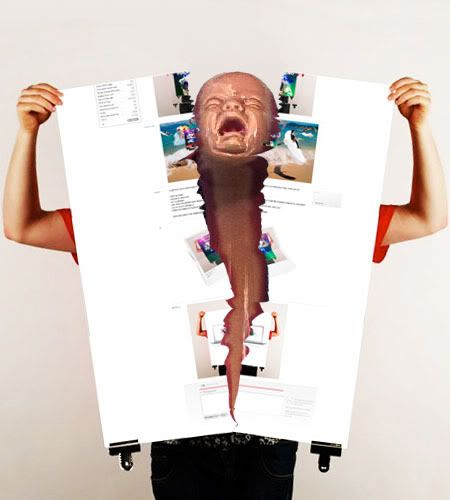
- LOLegosmoke
- < (the other end of that baby is a fist)version3
- hahahahadopepope
- ITS KUATO FROM TOTAL RECALLLLLLLsublocked
- HAHAHAHAHAHA HAHAHAHAH HAHAHAHAHA EPIC!!!!!janne76
- <3graphiknature
- This is the biggest win I've ever seen. Thank God I've lived long enough to see it.CyBrainX
- It's beautiful. I'm praying to it now.CyBrainX
- jimzyk0

- Sorry, but this really needs to be animated.detritus
- yes i apologisessesjimzyk
- Why are you responding? you should be knee-deep in ImageReady, my friend!detritus
- hahainvisiblechamber
- detritus0
Only QBN delivers such utter win from the brink of total fail.
quodos, quomrades.
- egosmoke0

- this turns evil now...invisiblechamber
- tile this for maximum winsublocked
- version30

- wow. twins!jimzyk
- this gonna show up internez a lotinvisiblechamber
- randommail0
thanks egosmoke. I like the look.
- egosmoke0

- HAHA********
- hahaha gotteswillen...invisiblechamber
- good!jimzyk
- HAHA
- ESKEMA0
THIS THREAD MADE LAUGH VERY HARD INDEED.


