Photographing design work
- Started
- Last post
- 11 Responses
- DesignedbyDave
Anyone got any tips?
I have a good camera (G10) and tripod, backing material etc, but has anyone got any advice for a cheap lighting rig to get the best out of my print work, or any other advice for that matter!
Ideally I want to keep the post processing to a minimum as I have a lot of work to photograph, so getting the lighting, angles and white balance right is important.
- akrokdesign0
i am sure, you still have to adjust some in photoshop.
- scribbler0
you wanna check out Dave Hobby, he's the man when it comes to lighting.
- Scotch_Roman0
Even with a professional photographer, you'll still spend a fair bit of time retouching—getting rid of errors, adjusting color, fixing dinged corners and edges...
Also, when I was shooting my own stuff (the books and multi-page brochures, anyway), I just held down the edges with my fingers while my friend took the pictures, then I touched out my fingers and the shadows later. Tedious, but using tape just wasn't working, and it was destroying my samples.
- DesignedbyDave0
Yeah if i set up a little studio, with a couple of lights (any ideas on best/cost effective lights to use?) and get my white balance sorted, then I can shoot everything in one go, and any amendments I make in Aperture can be applied to every image I guess.
It seems like such a daunting task, I suppose as a newbie photographer I need to take 5 or ten images of each piece and pick the 2/3 best, as some may be unusable.
- applepirate0
i really dig using LED lighting for this kind of set-up because they are cheap and easy to balance the level's off of.
true white LED's have been really cheap for me to pick up at any number of hardware, electronics, dollar store.... etc
using a flat-sheet close to "chroma key green" as a backdrop always making selecting and deleting the background a cinch. just make sure it is wrinkle free and evenly lit... that will make the photoshop work easy to automate if every shot has one color it is looking to mask out of the photo.
- jaylarson0
try to use as much natural lighting as possible. I have my stuff taken by an east facing wall and works most anytime. I usually have something to block the hard shadows and then set my camera (s5is) for a longer exposure to keep the noise down. everything on my site was taken using this technique. sometimes a circular polarizing filter will help remove some reflections on glossy material.
- i concur. natural lighting is the best when photographing paperlambsy
- forcetwelve0
i used to shoot stuff in natural light - the problem is it changes so much that all the shots look differently lit. so i now use a flash (speedlite) shot into an umbrella (small cheap one) and keep exposure and settings the same each time. it works heaps better.
- utopian0
Hire a professional photographer.
- nosaj0
Small cyclorama's are pretty cool. I have one of these and have it installed on a lazy susan turntable.
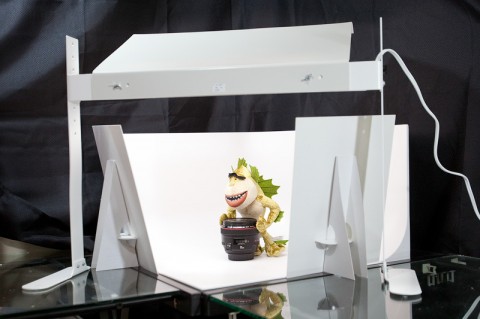
We shoot products (video) with a slow rotation that provides a pretty cool feel.
