AE Type Q
- Started
- Last post
- 8 Responses
- Meeklo
I would like to simulate the text you see when you regular tv with captions, not the ones on a movie for example.
The difference is that (depending on the tv) the majority has a black rectangle behind the letters, since I have to type a lot of crap, I was wondering if anyone knew how to achieve this directly in after effects.
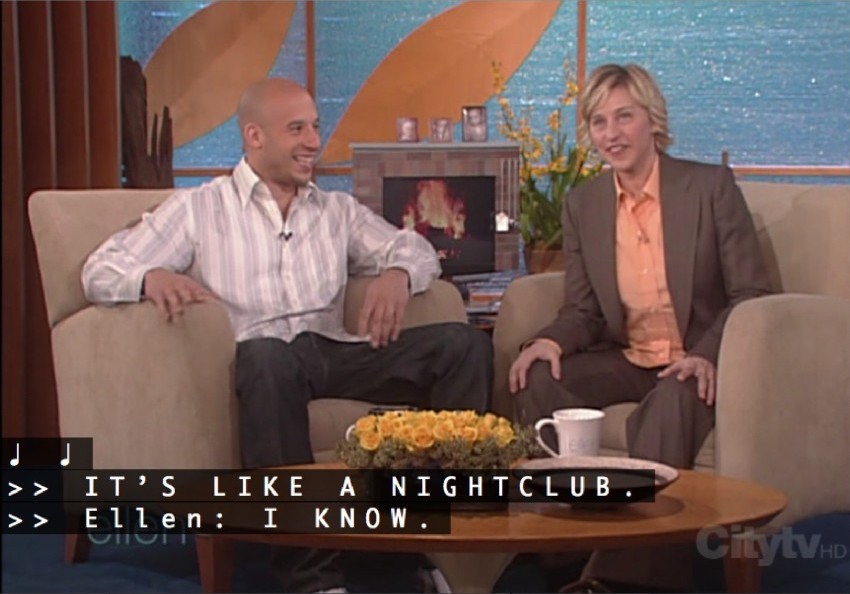
So the rectangle behind the type, adapts to the content, not sure if I'm being clear enough..
- Meeklo0
anyone?
- MrOneHundred0
It’s a stab in the dark, but when I need to do this in InDesign I set up a style sheet and get the black rectangle by fudging the Underline feature. Not sure if AE has this much functionality with type, but it’s worth a look.
- Meeklo0
it may work..
can you explain?
- MrOneHundred0

This should do it. Let me know if this makes no sense.
- oozie0
some expression that makes the size of a solid the size of the type as you type maybe or some way in illustrator
- MrOneHundred0
Let us know what you come up with.
- Meeklo0
I'm just adding a black stripe by hand, behind every line..
it won't be animated, it sucks, but I don't know how to do it otherwise and animating every single like will take too long
- Jnr_Madison0
I don't know much about AE but maybe the Boris FX TitleToolkit would do it?
- just checked the price, quite expensive just for this.Jnr_Madison
- thanks madison, I don't want to spend a single $ for this though..
not worth itMeeklo