Mac - PC file sharing 1010 Responses

Last post: 8 months, 3 weeks ago | Thread started: Mar 3, 08, 10:51 a.m.

RespondNew TopicDisable Images

  • Daro

    I have a shared folder on my PC that i can connect with my mac via Connect to Server. Lately connecting to it crashes my Finder or the file transfers is super slow. It even slows down my internet connections. Has anybody else had a similar problem and a solution to it?
    any help will be greatly appreciated.

    Mar 3, 08, 10:51 a.m. – Permalink
  • Daro

    *bump

    next note >add note

    You must be logged in to add a note. Login now or register for an account.

    Cancel
    Dog-earMar 3, 08, 11:14 a.m. – Permalink
  • creative-

    What operating systems are you using?

    next note >add note

    You must be logged in to add a note. Login now or register for an account.

    Cancel
    Dog-earMar 3, 08, 1:45 p.m. – Permalink
  • Daro

    OS X 14.4.11 and Windows XP.
    Everything had been working fine for months then one day it just went bonkers.

    next note >add note

    You must be logged in to add a note. Login now or register for an account.

    Cancel
    Dog-earMar 3, 08, 2:06 p.m. – Permalink
  • creative-

    OS X 14.4.11? That'll be your problem…

    • Seriously though, can you connect to other folders or other PCs?creative-
    + add note

    You must be logged in to add a note. Login now or register for an account.

    Cancel
    Dog-earMar 3, 08, 2:10 p.m. – Permalink
  • Daro

    but it was working fine....what gives?

    next note >add note

    You must be logged in to add a note. Login now or register for an account.

    Cancel
    Dog-earMar 3, 08, 2:10 p.m. – Permalink
  • creative-

    You may have installed something that broke it, or changed some settings? I would try searching the Apple support discussion forums to see if anyone has had the same problems.

    next note >add note

    You must be logged in to add a note. Login now or register for an account.

    Cancel
    Dog-earMar 3, 08, 2:27 p.m. – Permalink
  • Daro

    unfortunately i have only that one PC. The only thing I remember doing was changing my ethernet cable and hooking it up on a different plug on my switch. I'll try to create a new sharing folder and see if that makes any difference.

    • Try switching it back to how it wascreative-
    + add note

    You must be logged in to add a note. Login now or register for an account.

    Cancel
    Dog-earMar 3, 08, 2:38 p.m. – Permalink
  • kerus

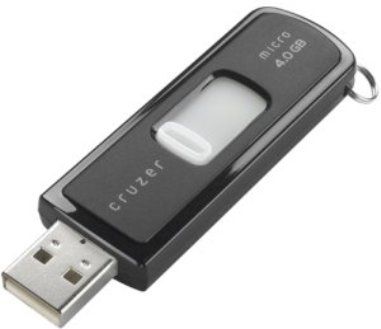
    FOR REAL:

    http://salestores.com/stores/images/images_747/SDCZ64096A10.jpg

    next note >add note

    You must be logged in to add a note. Login now or register for an account.

    Cancel
    Dog-earMar 3, 08, 10:58 p.m. – Permalink
  • YAYPaul

    You connecting via SMB?
    Thats the only way i've got a windows connection working, even with my NAS that has AFP. Sigh.

    next note >add note

    You must be logged in to add a note. Login now or register for an account.

    Cancel
    Dog-earMar 4, 08, 2:05 a.m. – Permalink
  • roundabout

    It might be worth trashing your system pref for the network and sharing settings. Reboot, and start fresh. Might help.

    next note >add note

    You must be logged in to add a note. Login now or register for an account.

    Cancel
    Dog-earMar 4, 08, 3:23 a.m. – Permalink

Login or Register to respond to this

Skip to main content